How to Respond to Negative Reviews Without Escalating
To respond to negative reviews without escalating, acknowledge the concern, keep your tone calm, and offer a clear next step. Protect private information and move account-specific conversations to a secure channel.
A harsh comment can sting when you’ve poured time, energy, and care into your business. You can address it with kindness and clear boundaries, without accepting every accusation or defending every detail. Start by giving yourself enough breathing room to answer thoughtfully.
Key Takeaways
- Aim to respond within 24 to 48 hours, with urgent concerns routed sooner.
- Thank the reviewer, acknowledge the specific issue, and keep your apology brief.
- Share a realistic next step without exposing private information or promising an unauthorized outcome.
- Report policy-violating reviews instead of arguing, and address recurring service problems behind the feedback.
Pause Before You Reply, but Don’t Disappear

Your first reaction belongs in a private draft. If you’re upset, step away briefly or ask a trusted colleague to review your wording.
Then return to the task. Set a realistic response time and respond in a timely manner, usually within 24 to 48 hours. Handle urgent concerns sooner. You don’t need a completed investigation before acknowledging a concern, but your reply should offer more than “We’re looking into it.”
The ReviewTrackers 2022 report found that 94% of consumers said a bad review had convinced them to avoid a business. It also reported that 53% expected a response within a week, while 63% said a business had never responded to their review.
Those figures describe that report, rather than current-year consumer behavior. Still, they give business owners a clear reason to make monitoring online reviews a regular responsibility.
As Chip Bell explains in ReviewTrackers’ reputation management guide, the response clock starts when the review appears. Leaving it unanswered can suggest disinterest.
Set review notifications and designate someone to receive them. You can stay attentive without refreshing your profile all day.
Triage the Review Before Drafting
Read for the underlying problem before deciding what to write. A billing dispute needs different handling than a broken app or a request for another feature.
These practical routing targets can help you assign ownership. They aren’t platform requirements.
| Review concern | Suggested owner | First action |
|---|---|---|
| Billing or disputed charge | Owner or billing lead | Review privately, acknowledge within 24 hours |
| App crash or widespread outage | Technical support | Escalate promptly and identify affected functions |
| Service disappointment | Service manager or owner | Respond within 24 to 48 hours |
| Feature request | Product owner | Acknowledge without promising delivery |
| Threats or exposed personal information | Owner and appropriate safety contact | Preserve evidence and assess immediately |
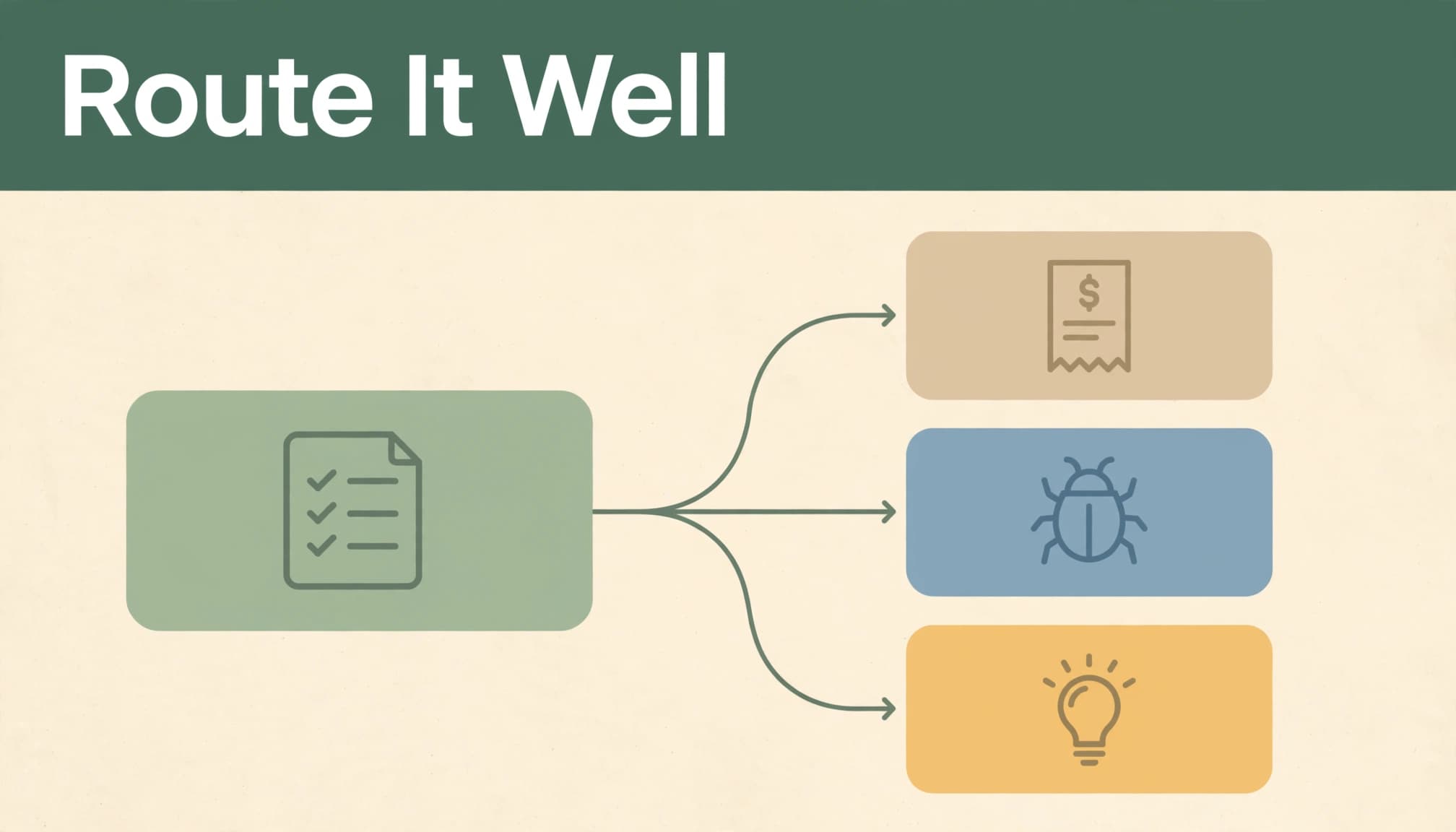
For a solo business, you may fill every role. The distinction still helps you choose the right next action.
An employee-review complaint belongs with the person responsible for workplace concerns. Don’t ask a customer service representative to answer allegations about employment practices.
How to Respond to Negative Reviews, Step by Step
Keep most public replies to a few focused sentences. Address the complaint without turning your comment into a case history.
- Thank the reviewer. “Thank you for bringing the billing concern to our attention” acknowledges their effort without endorsing every statement.
- Name the concern. Personalize the response by mentioning the wait, charge, delivery, or technical issue they described. Skip vague language about “any inconvenience.”
- Offer a brief, sincere apology. When the cause is unclear, apologize and sympathize with the reviewer. You can apologize for the experience without admitting an unverified cause. If an error is confirmed, take responsibility plainly.
- Give an authorized next step. Offer a billing review, troubleshooting help, or a conversation with the appropriate person. Don’t promise refunds or fee reversals you can’t approve.
- Take the conversation offline. Provide a monitored business email, phone number, or secure support form. Explain what information to send there.
ReviewTrackers reports that only about 13% of the responses it analyzed included an apology. A short apology still belongs when someone describes a disappointing experience. Repeating it won’t replace useful action.
Never publish payment details, order numbers, addresses, appointment history, health information, or private messages. The reviewer’s own disclosure doesn’t give you permission to add more.
A detail can be accurate and still be inappropriate for a public reply. Explain the next step without publishing the evidence.
For sensitive services, avoid confirming that the reviewer is a customer. Keep the response general and offer a confidential contact route.
Negative Review Response Templates You Can Adapt
Replace the bracketed details before posting. Adapt each review response template to the facts and what your business is authorized to offer. Use only contact channels you monitor, and request identifying information privately. A respectful follow-up can give your business a second chance to address the underlying problem, but it doesn’t guarantee a different rating.
A disputed charge
Acknowledge the billing concern without declaring the charge correct or promising a refund before review.
“Thank you for raising your concern about the charge. We’re sorry this has been frustrating. Please contact [billing email] with your order number so we can review the transaction privately and explain the available next steps.”
If you’ve confirmed a billing mistake, take direct responsibility. Any service recovery remedy must be specific, approved, available, and independent of a review change.
A confirmed service delay
When your business missed an agreed timeline, own that specific failure. Avoid excuses about staffing, workload, or how busy the week became.
“Thank you for letting us know how the delay affected your plans. We’re sorry we missed the agreed service window. Please contact [business phone or email] so we can discuss the outstanding service and the options available.”
If you can reliably provide an update by a particular time, include it. Don’t add a deadline simply because it makes the response sound reassuring. Your next message needs to match your commitment.
An app crash or technical failure
Name the affected function and invite useful troubleshooting information through support. Don’t promise a fix date that the technical team hasn’t approved.
“Thank you for reporting the crash during checkout. We’re sorry you couldn’t complete your purchase. Please use [support channel] to share your device type and app version privately so our support team can investigate.”
For a feature request, thank the person and explain how feedback reaches the product owner. Avoid describing an idea as “coming soon” unless its release is confirmed. Acknowledgment doesn’t require a delivery promise.
Handle Inaccurate or Abusive Reviews Without a Public Fight
When the account seems inaccurate
Compare the review with your records privately. A different name, missing receipt, or unfamiliar description doesn’t prove someone is lying.
If there’s no policy violation, acknowledge the concern and invite clarification. You might write: “We’d like to understand the situation you’ve described. Please contact [business email] so we can review it privately.”
A defensive response can correct a relevant, non-sensitive fact briefly if it helps readers understand a policy. State it once. Don’t post screenshots, accuse the reviewer, blame the customer, or debate point by point.
You can protect your business without trying to win the last word.
When the review violates platform policies
For apparent fake reviews, spam, threats, or other prohibited content, preserve evidence and report it through the review platform. Skip a public reply that could amplify the allegation or lend it credibility.
For Google reviews, follow Google’s reporting instructions. In your Business Profile, locate the review and use its reporting option. The Reviews Management Tool also supports tracking reports and appealing eligible decisions.
Disagreement alone isn’t grounds for removal. Harsh criticism and policy violations are different situations.
If a message includes a credible threat, prioritize safety and contact appropriate authorities. A review response isn’t the place to manage an immediate danger.
Build a Response Routine Your Business Can Maintain
A short review response policy makes review management easier when you’re balancing customers, family, and daily operations.
Record your response window, tone, escalation contacts, privacy boundaries, and compensation authority. Identify a backup person and decide which complaints require owner approval. Document how to report Google reviews and Yelp reviews in your internal guidance.
Our brand voice guide can help you keep customer communication consistent. Warmth still belongs in a serious apology, but jokes and cheerful sales language usually don’t.
Use automation for alerts, routing, and draft suggestions. Keep emotionally charged complaints, sensitive information, and final decisions with a person. Our guidance on what to automate and keep personal offers useful boundaries. Don’t paste private customer messages or account records into general-purpose AI tools.
Afterward, record the issue, the customer feedback, and whether the promised action happened. Track repeat complaints about booking instructions or waiting times, then improve the process as part of customer experience management.
Our practical client retention plan supports thoughtful follow-up without making yourself available around the clock. Your response should begin a manageable next step, not create another commitment you can’t sustain.
Frequently Asked Questions
Can a reply turn a negative review into a positive one?
A reply can influence a customer’s star rating, but no response guarantees a change. In a case described in AppFollow’s review response guide, 60% of users who received a fast response changed their reviews from negative to positive during an eight-month workflow.
That result applies to that case, not every business. Focus on addressing the problem and communicating respectfully. Never offer money, discounts, free items, or preferential treatment in exchange for changing or removing a review.
How do you avoid sounding defensive or scripted?
Mention one specific concern, remove explanations that blame the customer, and offer one useful next step. Read your draft aloud before posting.
Replace “You should have read our policy” with language that offers to explain the relevant terms privately. Replace a generic promise to “make things right” with an action you’re authorized to take.
Personalization doesn’t require a long response. It requires showing that you read the complaint and understand what needs attention.
Respond With Care and Clear Boundaries
When you respond to negative reviews, give readers evidence of steady, respectful customer service. Acknowledge the concern, protect private information, and follow through on the next step you offered.
You don’t have to answer every accusation or secure a better rating. A calm reply and a dependable process let you care for your customers while protecting your time and your business.